Commanders
Find your next EDH general. The Commanders section ranks the most popular commanders right now, lets you search by name, and opens each commander to its stats and a library of real decklists.
On this page
Open Commanders
Commanders is a section of Discover. Open Discover, then tap the Commanders pill (the shield icon) in the pill bar to switch to it.
Trending commanders
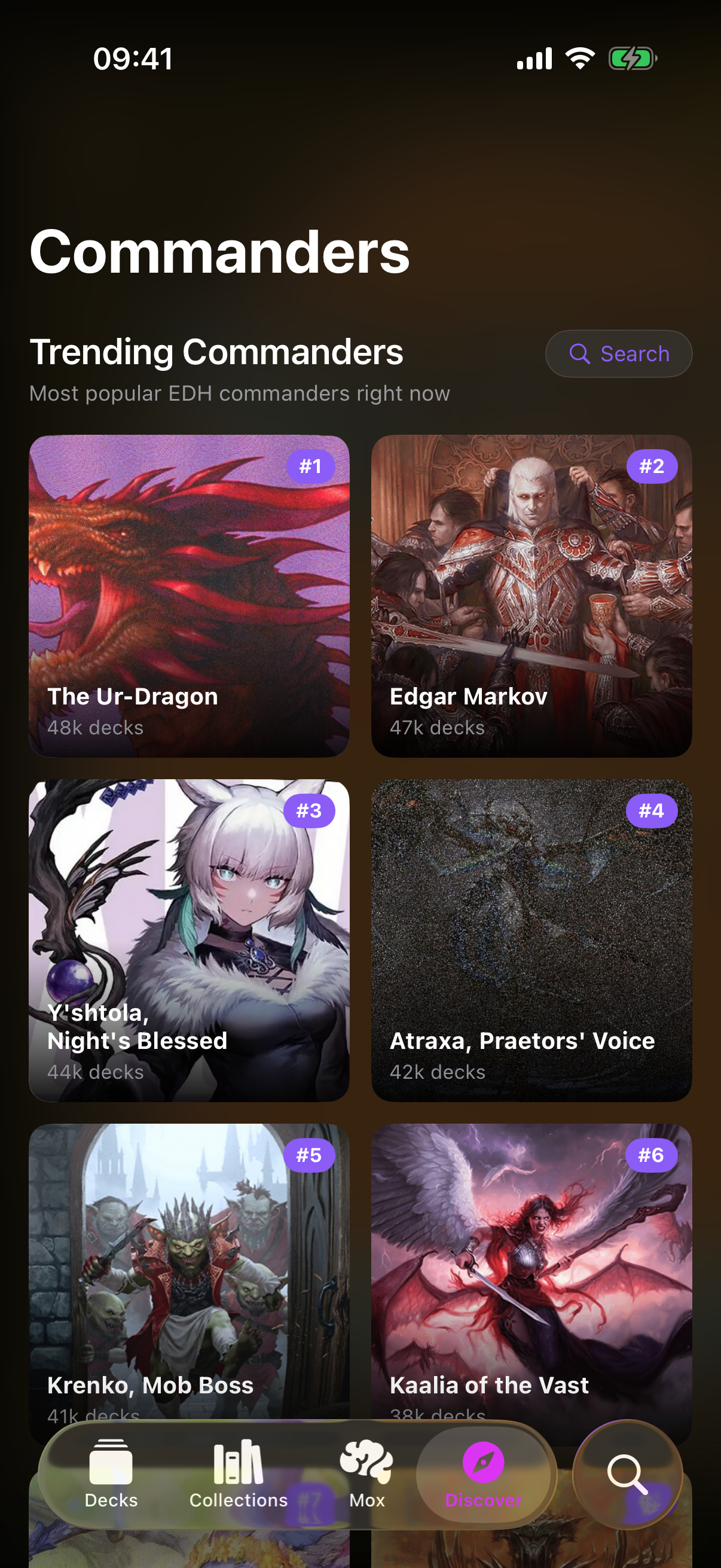
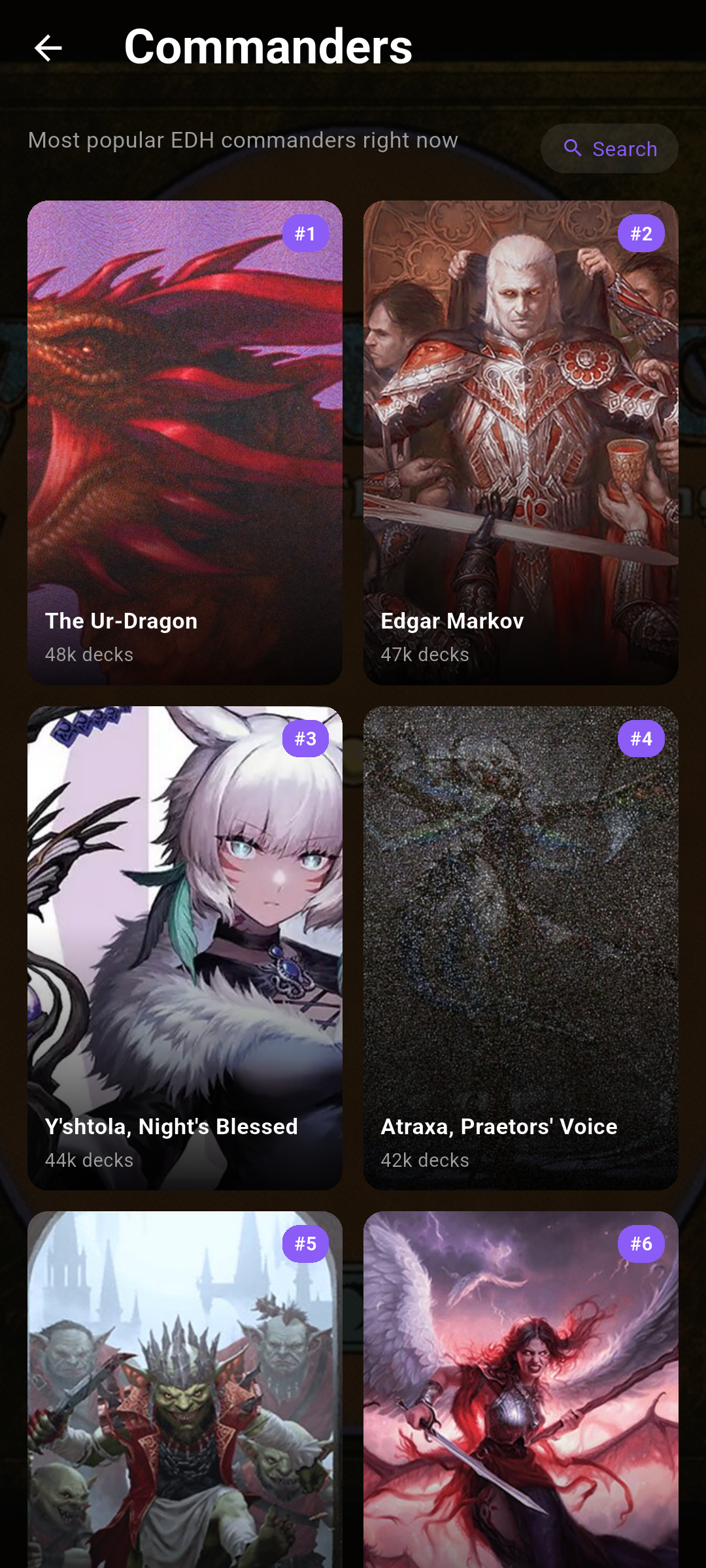
By default you'll see Trending Commanders — the most popular EDH commanders right now — laid out as a grid of art tiles. Each tile shows:
- The commander's art and name.
- Its EDHREC rank badge (for example #1) in the corner.
- Its colour identity pips and an approximate deck count.
Pull down to refresh the list. Tap any tile to open that commander.
 Drop screenshot here
images/guides/commanders/01-trending-grid.png
Search commanders
To look up a specific commander, tap Search at the top of the grid. Type at least two letters and matching commanders appear as a list, each with a thumbnail and its deck count or EDHREC rank. Tap a result to open it, or tap Cancel to return to trending.
The commander page
A commander's page opens with a large art header and a stats strip showing its EDHREC rank, total deck count, and colour identity. Two tabs sit below:
-
Decks
A list of real decks built around this commander (the default tab).
-
Info
The commander's type line and Oracle text, plus stats like salt score, total decks, average deck price, and a breakdown of decks by format.
Switch tabs with the pill control under the stats strip.Switch tabs with the tab bar under the stats strip.
Decks & deck preview
In the Decks tab, each row shows a deck's name, its author, card count, and likes. Tap a deck to open a preview with the full card list grouped by section (creatures, lands, spells and so on) and quick stats.
From the preview you can:
- Tap Save to My Decks to copy the deck into your own decks.
- Tap Open in Moxfield or Open in EDHREC to view the original source online.