
Set release guides
Every Magic set gets its own curated, AI-written guide — what's worth opening, which cards to watch, and how the set plays. Guides update through spoiler season and lock in once the set is fully revealed.
On this page
What set guides are
A set guide is a written analysis of a single Magic set. Each set can have several guide types — for example a card-by-card spotlight, a tier list, or precon upgrade advice — and each type is presented in its own format.
Guides carry a status badge: Live means the guide is still being added to (typically during spoiler season as new cards are revealed), and Complete means the set is fully spoiled and the guide is finished.
Open the set guides
Set guides live in Discover. Open Discover, make sure you're on the Sets pill (the leftmost option in the pill bar), and scroll to the Set Guides shelf.
-
Go to Discover → Sets
Tap the Sets pill at the bottom of Discover. See the Discover guide for the full layout.
-
Open the Set Guides shelf
Find the Set Guides shelf and tap View Set Guides to open the full list, or tap a set's card on the shelf to jump straight into that set.
The guides list
The list groups guides by set. Each set shows its name, set code, and whether it's in Spoiler Season or already Released, with the available guide types listed underneath.
- A row of filter chips at the top lets you narrow to a single set, or tap All to see everything.
- Each guide type shows a short preview snippet and a status badge (Live or Complete).
- A lock icon marks guide types that are Pro-only.
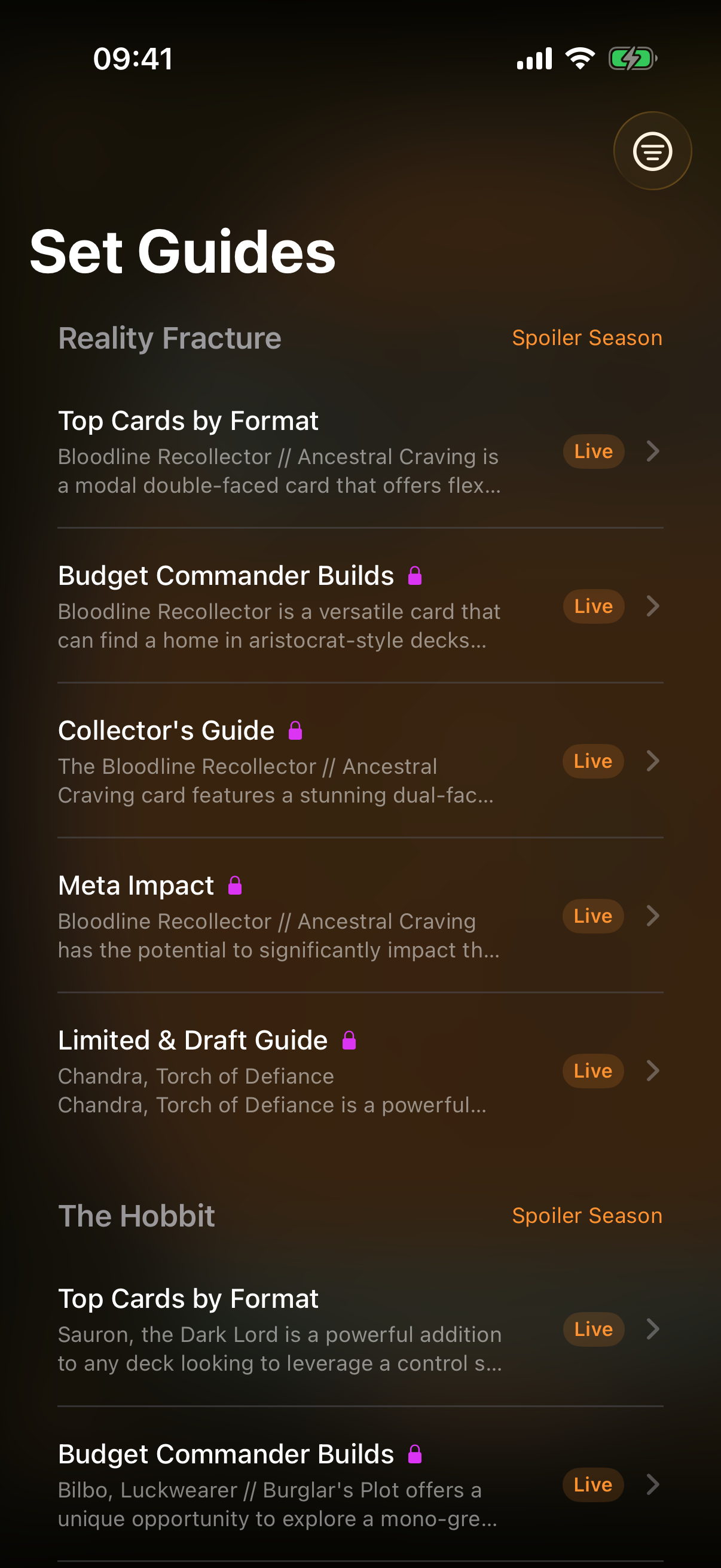
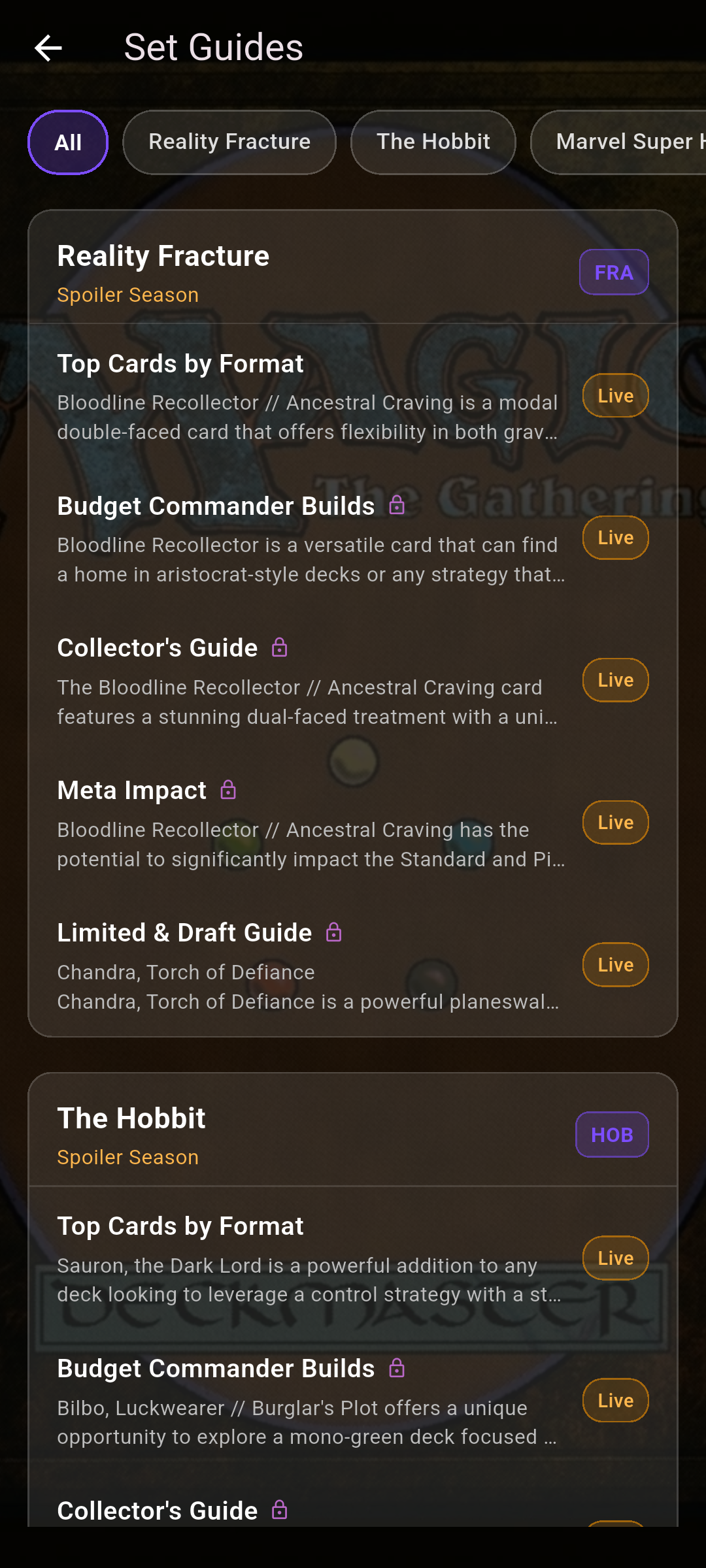 Drop screenshot here
images/guides/set-guides/01-guides-list.png
Reading a guide
Tap a guide type to open it. At the top you'll see the set name, the guide type, and its status badge. Below that, a Set Picks section highlights standout cards, followed by the written content.
- For a finished set, the guide opens with the Full Release Guide.
- During spoiler season you may also see dated Update entries showing how the picks evolved as new cards were revealed.
- Pull down to refresh and pick up the latest additions.
Free vs Pro
Some guide types are free and some are reserved for Compendium Pro. Pro-only guides show a lock icon in the list and a Pro Required panel when opened — tap Unlock Pro to upgrade. Free guides open straight away.
Share a guide
Tap the share icon in the guide's top bar to send a friend a link to that set's guide.